Connect to Your Network Using a Site-to-Site VPN
Intro
Virtual Private Networks (VPNs) are one way for your Nautobot Cloud instances to connect securely to your company's network. This connectivity method is great for small to mid-sized customers with modest throughput requirements.
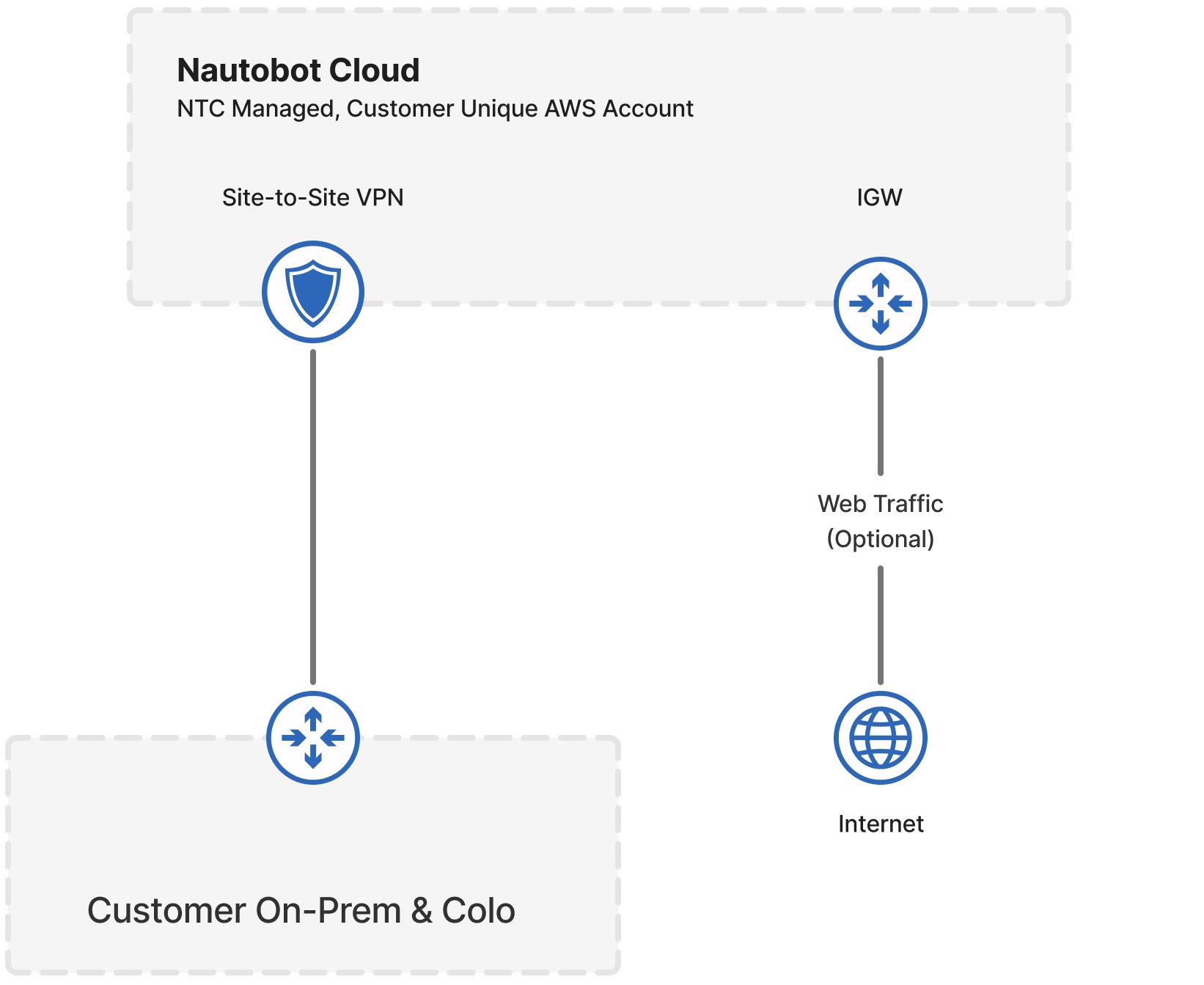
Connect a VPN
To enable Virtual Private Network (VPN) access for your Nautobot Cloud instances, navigate to the Organization Settings VPN tab in the left-hand navigation pane. This section shows a list of existing VPN configurations, if any.
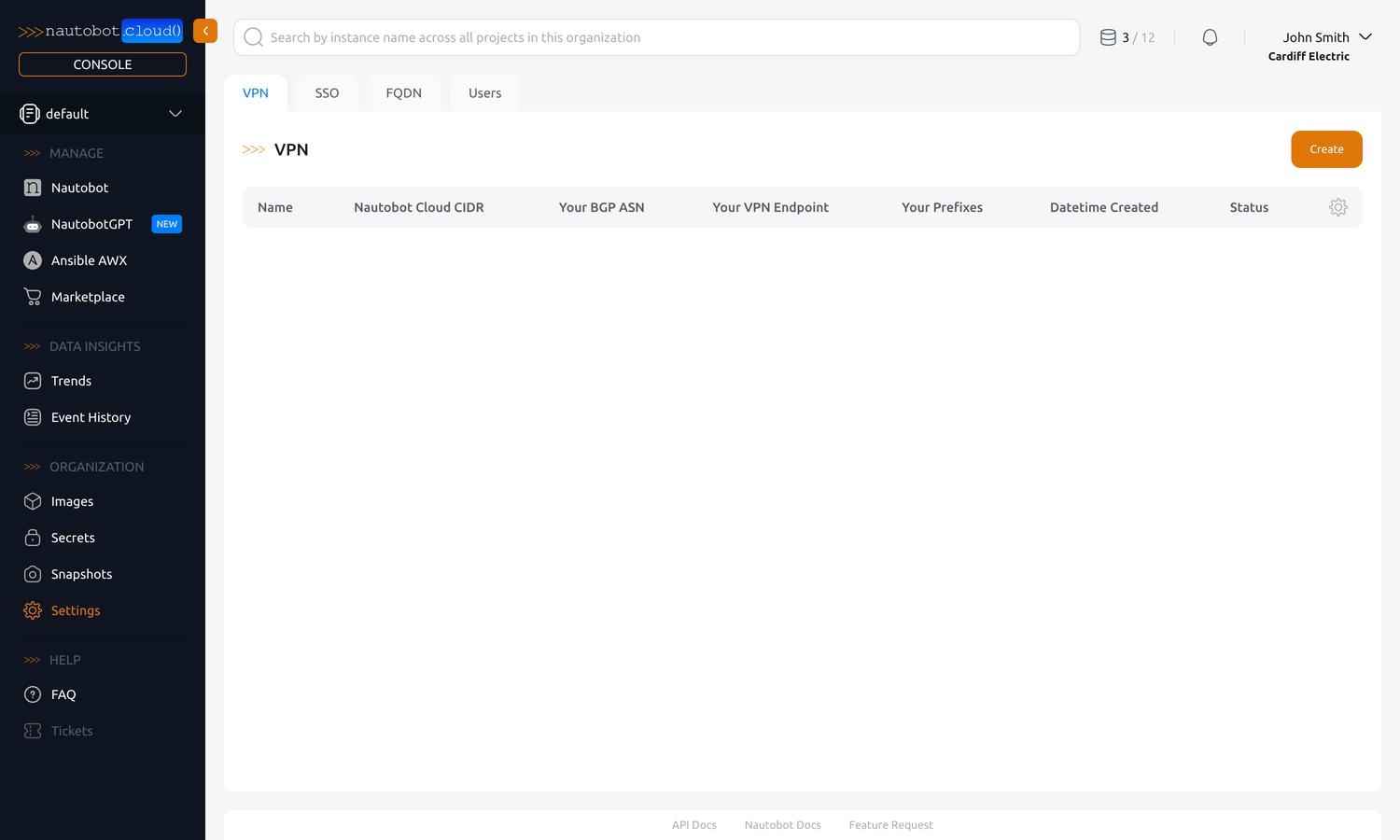
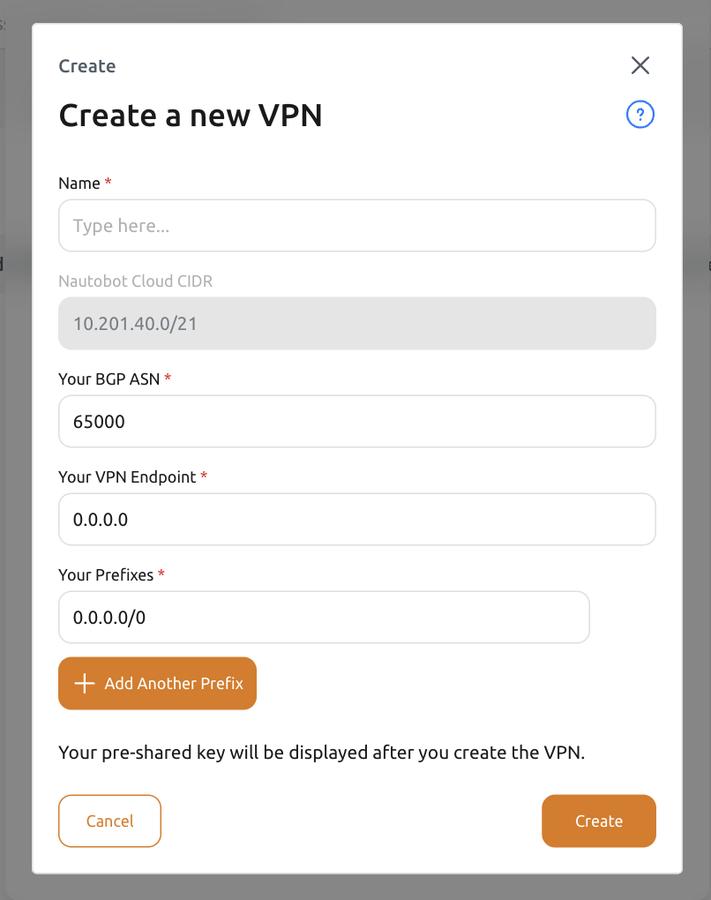
To create a new VPN configuration, click the Create button in the top-right corner of the VPN page. A dialog will appear with a form to fill out the details of your new VPN configuration.
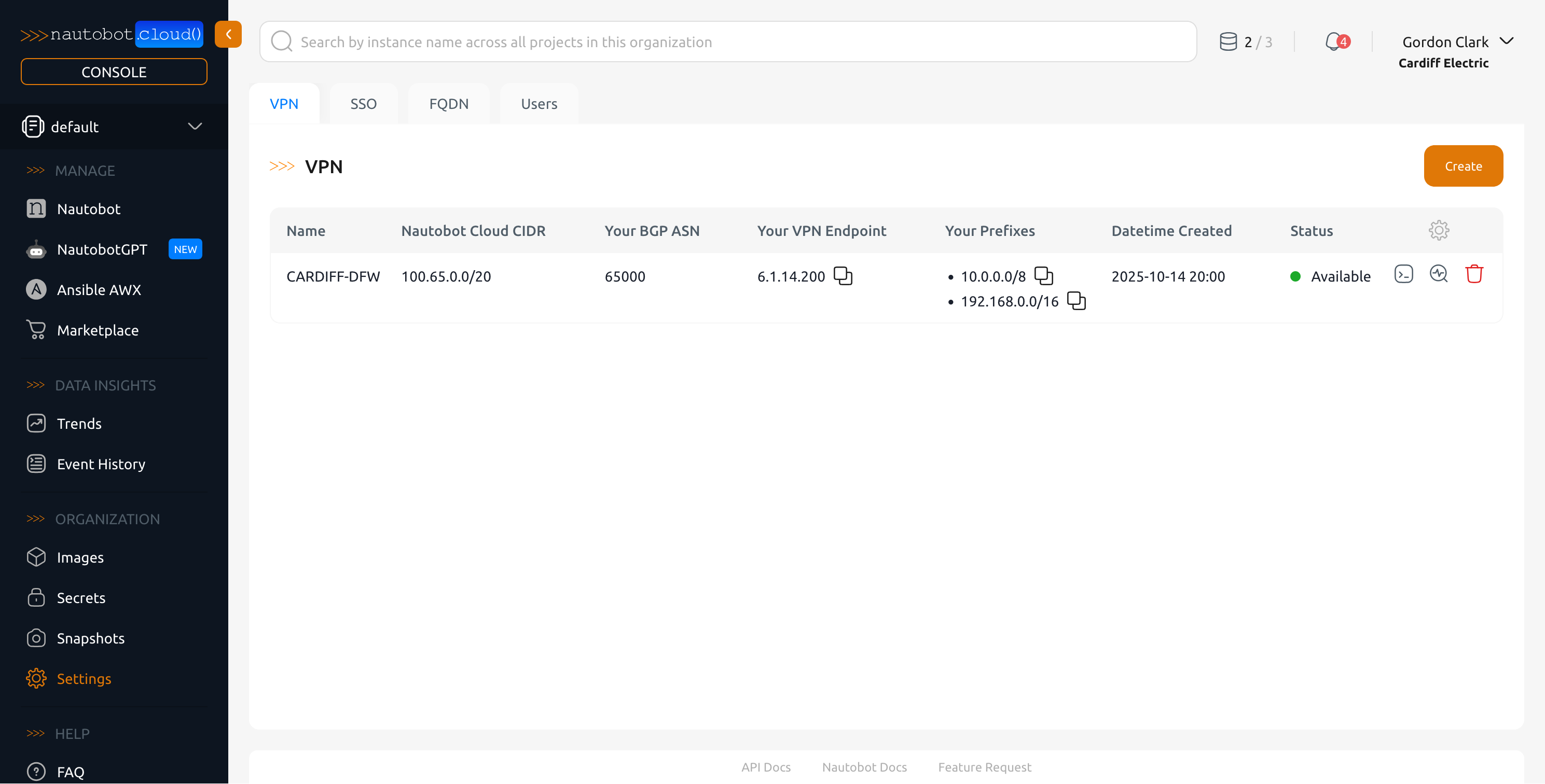
If creation is successful, you will see it show up in the list of VPNs for your organization. You can view your VPN's configuration (YAML) by clicking on the terminal icon on the right of the newly created VPN.
Fields
| Field | Required | Description |
|---|---|---|
| Name | Yes | A human-readable name for the created VPN. |
| Nautobot Cloud CIDR (fixed) | Auto | The network block Nautobot Cloud Instances will be provisioned with. This was created during onboarding and cannot be changed. |
| Your BGP ASN | Yes | The AS number that is configured on your gateway. This can be your public AS number (if assigned) or any in the private range (64,512–65,534). Default value: 65000 |
| Your VPN Endpoint | Yes | The public IP address of the VPN endpoint. |
| Your Prefixes | Yes | Prefixes that are allowed/advertised through the VPN. Multiple Prefixes can be entered by clicking "+ Add Another Prefix" |
Configure Your Side of the VPN
Nautobot Cloud provisions an AWS Site-to-Site VPN for the connection. After you create the VPN, click the terminal icon next to it in the VPN list to view and download its configuration.
This is the standard AWS Site-to-Site VPN customer-gateway configuration and contains everything needed to configure your own gateway:
- The two tunnel endpoints (the AWS-side public IP addresses), provided for redundancy.
- The pre-shared key for each tunnel.
- The inside tunnel addresses and BGP details (the AWS-side ASN and the ASN you supplied).
Apply this configuration to your on-premises or cloud VPN gateway to bring the tunnels up. Once at least one tunnel is up and BGP is established, your advertised prefixes and the Nautobot Cloud CIDR exchange routes, and your instances can reach your network.
Configure both tunnels
Two tunnels are provided for high availability. Configure both so the connection stays up if one tunnel goes down for maintenance or failure.