Logs
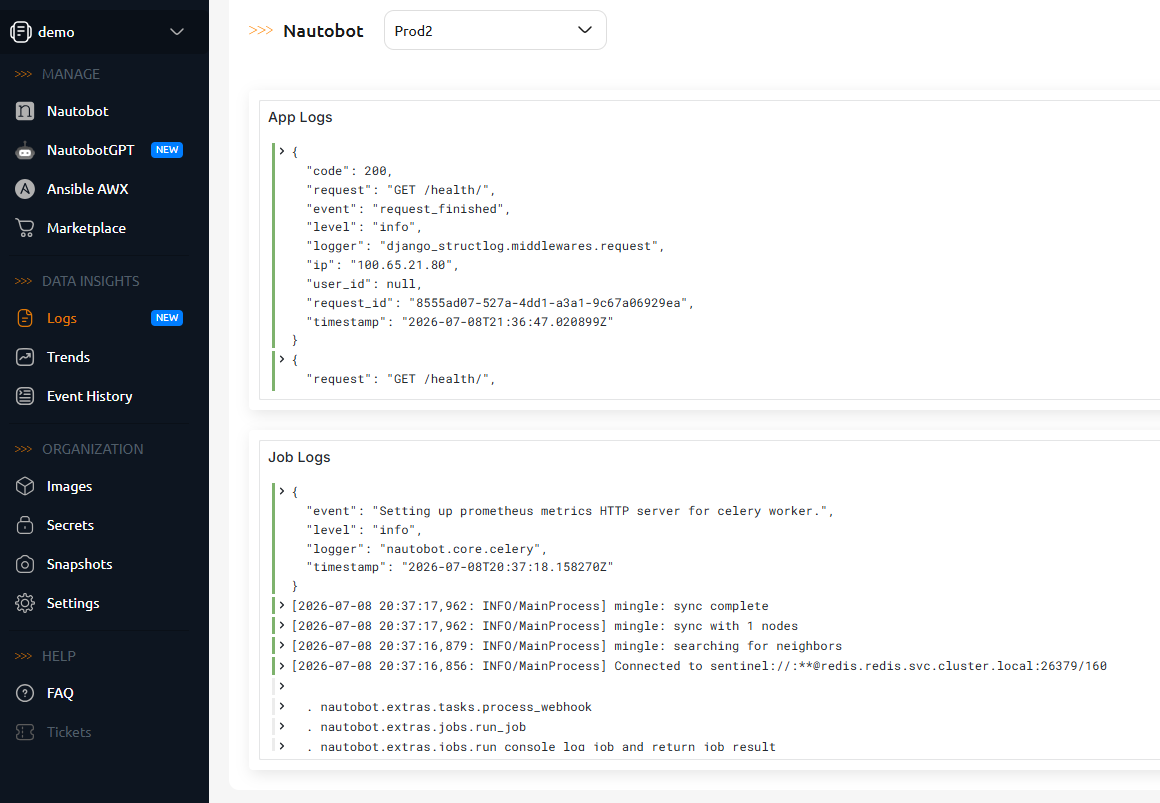
The Logs view shows the application logs from your running Nautobot Instances — the Nautobot web and worker (Celery) output — collected by the platform and presented as dashboards. Use it to review recent errors, login events, and job activity without leaving the Console.
There are two ways to reach it:
- Data Insights Logs — view logs across your Instances, with a selector to choose which Instance to display.
- The Logs tab on an individual Instance — the same view, scoped to that one Instance.
Select the Instance (and dashboard, if offered) to display its logs; you can also open the underlying dashboard in a new tab for a larger view. This is the same log data surfaced by the Nautobot Logs dashboard in Trends.
Viewing logs vs. forwarding logs
The Logs view is for viewing logs inside the Console. To send an Instance's logs to your own Syslog collector or SIEM, use Syslog Forwarding instead.
Syslog Forwarding
Syslog forwarding allows your Nautobot Cloud instance to send application logs (such as errors, login events, and other runtime activity) to a remote Syslog collector. This enables centralized logging and integration with external monitoring or SIEM systems.
Info
Syslog forwarding is disabled by default.
Requirements
Before enabling Syslog forwarding, ensure the following:
- Nautobot version:
- 2.4.24 or higher (for Nautobot v2)
- 3.0.3 or higher (for Nautobot v3)
- A reachable Syslog collector that supports standard Syslog over UDP (default port 514), with network connectivity from the Nautobot Cloud instance
Public Syslog Destinations
By default, Nautobot Cloud supports forwarding logs only to private IP addresses.
If you need to forward logs to a public IP address:
- Open a support ticket with Nautobot Cloud Operations.
- Wait for confirmation before enabling the configuration.
Do not configure public IP forwarding until approval has been granted.
Syslog forwarding is configured using environment variables on your Nautobot Cloud instance.
Step 1: Navigate to Your Instance
- Log in to the Nautobot Cloud Console.
- Navigate to your Instance.
- Open the Settings tab.
Step 2: Add Environment Variables
Add the following environment variables:
| Environment Variable | Description |
|---|---|
| NAUTOBOT_CLOUD_REMOTE_LOGGING_ENABLE | Set to True to enable Syslog forwarding. Default is disabled. |
| NAUTOBOT_CLOUD_REMOTE_LOGGING_SYSLOG_HOST | Hostname or IP address of your Syslog collector. |
| NAUTOBOT_CLOUD_REMOTE_LOGGING_SYSLOG_PORT | Port of your Syslog collector. Default: 514. |
Example configuration:
NAUTOBOT_CLOUD_REMOTE_LOGGING_ENABLE=True
NAUTOBOT_CLOUD_REMOTE_LOGGING_SYSLOG_HOST=192.0.2.10
NAUTOBOT_CLOUD_REMOTE_LOGGING_SYSLOG_PORT=514
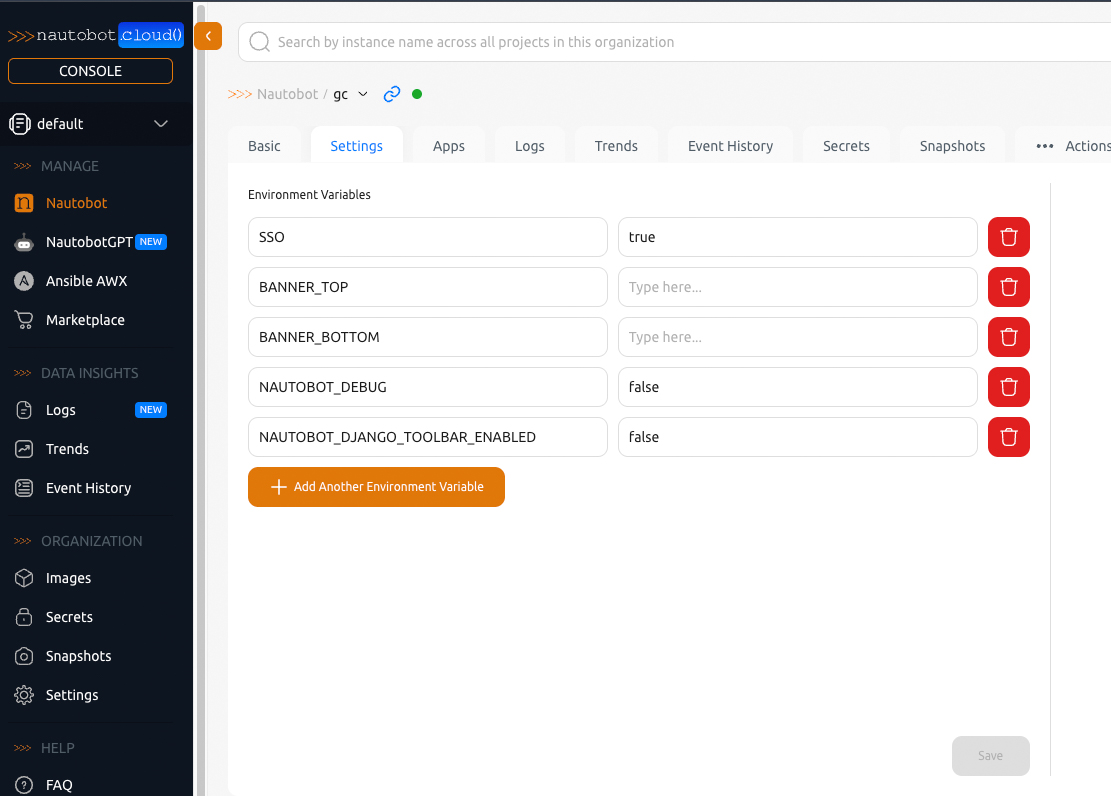
Click Save after adding the variables.
Step 3: Update the Instance
After saving the configuration:
- Trigger an Instance Update.
- Wait for the update to complete.
The new environment variables will be applied during the restart process.
Important Notes
- Only standard Syslog formatting is supported (custom formatting is not supported).
- Syslog forwarding uses UDP only.
- If network connectivity to the collector is unavailable, logs will not be delivered.