Getting Started with Nautobot Cloud
This guide provides a quick introduction to help you get started with Nautobot Cloud and the Cloud Console.
Whether you are starting from scratch or transitioning your on-premises Nautobot deployment, Nautobot Cloud offers a streamlined way to manage your network automation platform in the cloud.
In this guide, you will:
- Learn the essential Nautobot Cloud concepts
- Access the Nautobot Cloud Console
- Deploy your first Nautobot instance
Concepts
- Instance: A single deployment of Nautobot, including its own database and configuration. Organizations can create and manage multiple instances.
- Project: A logical grouping of instances within an organization. Projects help organize and manage instances based on their purpose, environment, or any other criteria that make sense for your team.
- Organization: A company or team that owns and manages one or more Nautobot instances. Each organization has its own set of users, a custom domain, authentication, and network connectivity settings.
- Snapshot: A backup of the database associated with the instance it was created from. It shows the data's state at the time the snapshot was created. A snapshot can be restored to any compatible instance at a later date.
View More Concepts
- Image: Not to be confused with snapshots, an image is a version of Nautobot that can be used to create new instances or update existing ones. Each image includes a specific version of Nautobot, versioned Marketplace Apps, and any necessary dependencies.
- App: An app is an additional software component that can be integrated with Nautobot to extend its functionality. Apps can provide new features, integrations, or enhancements to the core Nautobot platform. Learn more about managing apps.
- Secret: A secret is a sensitive piece of information, such as an API key or password, that is securely stored and managed within Nautobot Cloud. Secrets can be associated with specific instances and are used to enhance security and streamline configuration. Learn more about managing secrets.
-
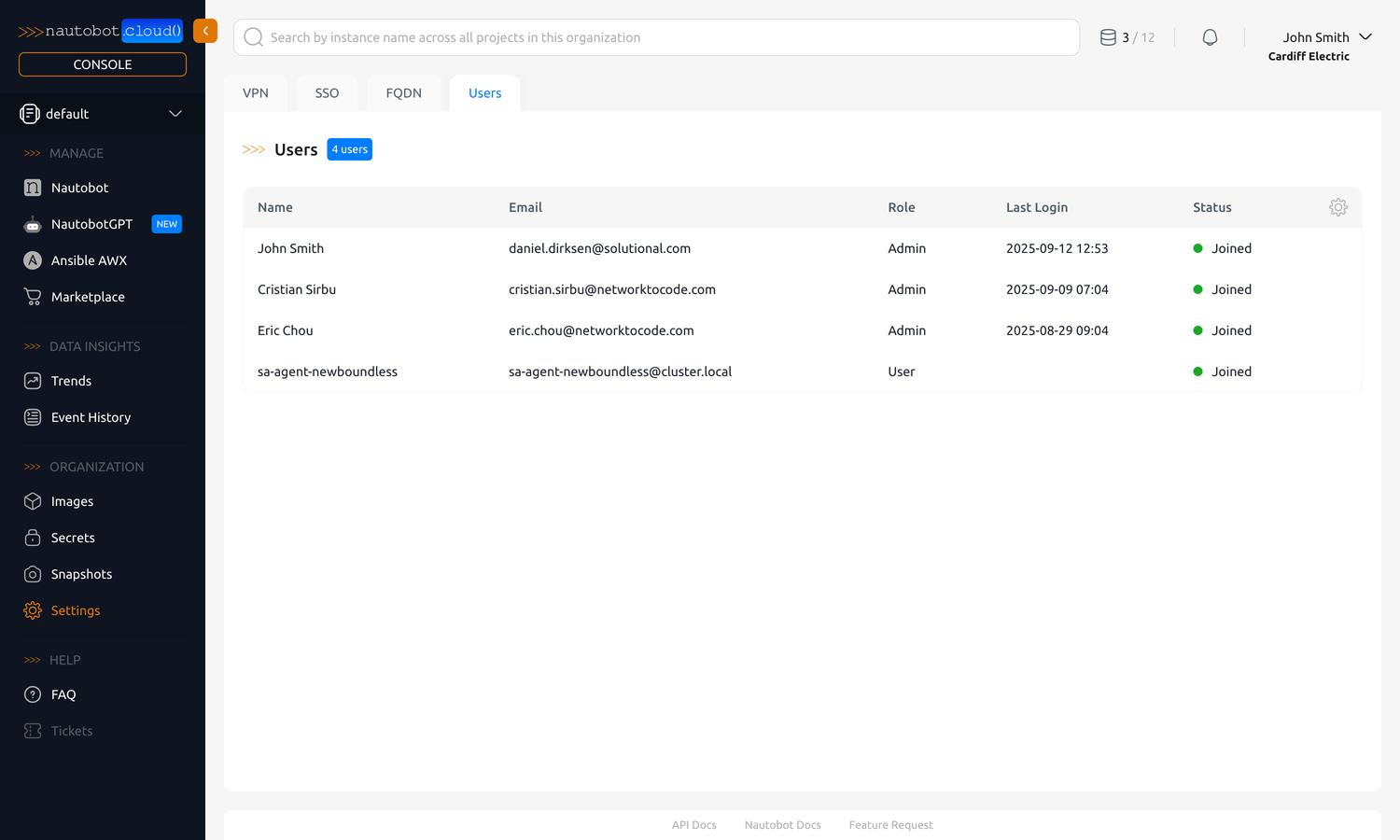
User: A person who can sign in to your organization in the Nautobot Cloud Console. Console users are either admin or basic users, which determines what they can manage in the organization. You can view your organization's users under the "Users" tab in Organization Settings; adding or removing users and changing their role is handled by the support team. Console users are separate from the user accounts inside a Nautobot instance, which have their own roles and permissions.
Accessing the Nautobot Cloud Console
You can access the Nautobot Cloud Console at https://nautobot.cloud/.
Not yet registered?
Fill out this form or email info@networktocode.com to learn more about Nautobot Cloud. Currently, there is no self-registration.
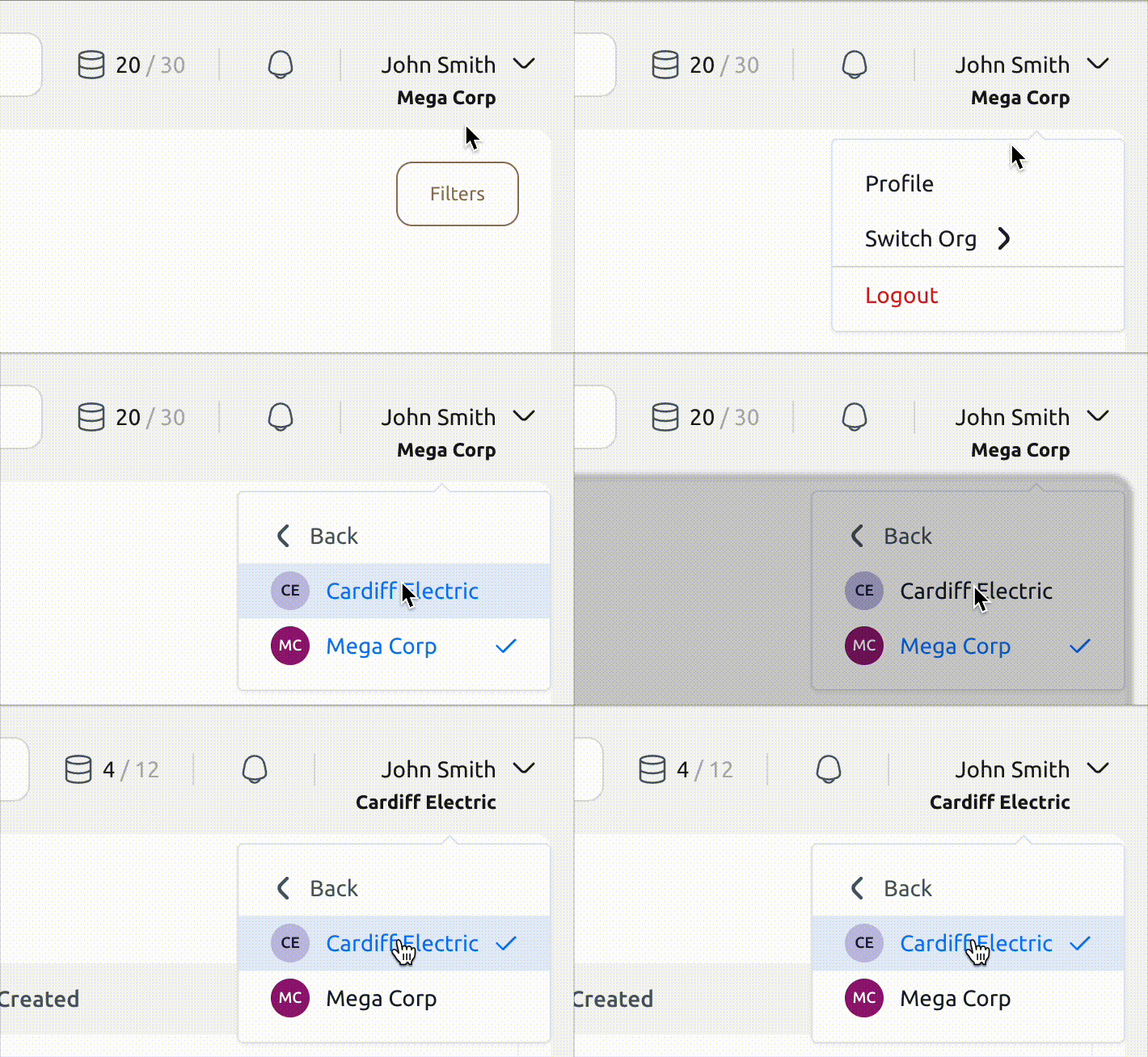
Once you are logged in, if you are part of multiple organizations, you can switch between them by clicking your profile icon in the top right corner and selecting the desired organization from the dropdown menu.
Deploy Your First Nautobot Instance
Once you're logged in, you can create your first Nautobot instance in a few clicks:
- In the left-hand navigation under Manage, click Nautobot.
- Click Create (top-right), then give the instance a Name and choose an Image (the Nautobot version/flavor) and a Project.
- (Optional) On the Apps tab, select any apps to install during creation.
- Click Create, then copy the admin credentials shown — you will not be able to see them again.
- Your instance provisions in about 10 minutes. When it reaches the Healthy state, open its URL and sign in with those credentials.
For the full field reference and all options, see Create an Instance.
Next Up
Looking for more detailed guidance? Find step-by-step guides for everything you might want to do with your Nautobot Cloud instance.