Conditions
Added in version 3.3.0
A condition narrows which changes a Webhook or Job Hook (we'll use "hook" to refer to either) reacts to. Without conditions, a hook runs for every change to every object of its selected types. With conditions, it runs only when the change looks a certain way: a device's status went from Staged to Active, an interface's MTU went above 9000, a change was made by anyone other than the sync account.
Conditions are a list of rows. Every row must pass for the hook to run. An empty list passes. Each row is either a preset chosen from a catalog and filled in, or a raw expression written in Jinja2. Either kind can be negated.
The event payload
Every condition is checked against the same payload a webhook body template receives. Its variables are:
| Variable | Description |
|---|---|
event |
created, updated, or deleted. |
model |
The model name of the changed object, e.g. device. |
timestamp |
When the change was recorded. |
username |
The user who made the change. |
request_id |
Shared by every change made in one request. |
data |
The object as recorded for this change: its state after a create or update, its last known state on a delete. |
snapshots |
prechange, postchange, and differences. prechange is None on a create, postchange is None on a delete. |
Fields and relations
A field is addressed by name: mtu, name. A related object's individual field is included after a dot: status.name, primary_ip4.address, location.name. The related object alone, status, is not a valid comparison.
A many-valued field such as tags, or a field holding a plain list, is named on its own. A dot does not reach inside it: tags.color resolves to nothing. See Asking about tags.
A custom field is addressed by its key under custom_fields: custom_fields.site_code. A related object's custom fields are reached the same way: location.custom_fields.region_code. custom_fields on its own is not a valid comparison.
A field holding JSON, such as a device's local_config_context_data or a JSON custom field, is not offered. Its value can hold nested keys on one object and a single value on the next, so no operator fits the field. A raw expression can still read it.
Presets
A preset is a ready-made condition with a fixed meaning. You choose it and fill in its parameters.
| Preset | Passes when |
|---|---|
| Field transition | the field went from one value to another, within an update |
| Field change | the field's value changed, whatever it changed to, within an update |
| Field comparison | the field matches the chosen operator and value |
| User is | a specific user made the change |
Field transition
| Parameter | Description |
|---|---|
field |
Field to watch, e.g. status.name. |
from |
Value the field must have had before the change. |
to |
Value the field must have after the change. |
Field change
| Parameter | Description |
|---|---|
field |
Field to watch, e.g. mtu or status.name. |
Field comparison
| Parameter | Description |
|---|---|
field |
Field to compare, e.g. mtu or status.name. |
operator |
One of the operators. |
value |
The value to compare against. |
User is
| Parameter | Description |
|---|---|
username |
Username that must have made the change. |
Operators
Used by Field comparison. What a comparison does depends on the type of the field's value:
| Value type | = |
gt gte lt lte |
in |
contains |
startswith endswith |
|---|---|---|---|---|---|
| text | exact match | alphabetical | any of the set | substring | prefix / suffix |
| date | exact match | chronological | any of the set | substring | prefix / suffix |
| number | numeric | numeric | any of the set | – | – |
| boolean | true / false | – | – | – | – |
| list | same set of values | – | – | holds the value | – |
There is no != operator: negate the row instead.
Asking about tags
tags is named on its own, with no sub-field beside it. The picker offers the tags the selected object types can hold, and a tag is matched by the name it is displayed under.
contains takes one tag. Every condition must pass, so two contains rows ask for both tags.
| Conditions | Matches |
|---|---|
tags contains core |
anything tagged core, whatever else it carries |
tags contains core and tags contains edge |
anything tagged both, whatever else it carries |
tags = core, edge |
only an object tagged exactly those two |
not tags contains core |
anything not tagged core |
Raw expressions
When no preset fits, write the condition as a Jinja2 expression. It is an expression, not a template: no {{ }} and no {% %}, and it should evaluate to true or false.
The expression sees the payload variables above and the same filters as a webhook body template. Expressions run in a sandbox and cannot modify the payload.
A field that can be empty arrives as none. Comparing none with > causes an error, so the row counts as not passing. Guard it, for example data.mtu is not none and data.mtu > 9000. A preset does this for you, and treats an empty field as a non-match. Prefer a preset when one fits.
How conditions are checked
When a change is recorded, Nautobot goes through the hook's conditions one by one. Each row is checked on its own against the change. The hook runs only if every row passes, so adding rows narrows the hook down. A hook with no rows runs for every change.
A row passes when what it asks is true of the change. A negated row passes when it is false. A row that cannot be checked at all, for example because of a syntax error in an expression or a value of the wrong type for the operator, counts as not passing, so the hook does not run.
A row that cannot be checked is written to the Nautobot log at ERROR level, naming the hook, the row number, and the reason. Each fault is reported once per request, so a change touching many objects at once logs one message rather than one per object. The log is the only place this appears. A hook stopped by a broken row looks no different in the web UI.
Setting conditions in the web UI
Conditions are set on the same form that creates or edits a Webhook (Extensibility > Webhooks) or a Job Hook (Jobs > Job Hooks). The Conditions card on that form has a Form tab, which builds the rows for you, and a JSON tab, which holds the field that is actually saved. They are the same conditions seen two ways, and switching to Form reads the rows back from whatever the JSON tab holds.
Choose the object types first. Until you do, the field picker is empty and disabled, because the fields a condition may name are only those that every selected object type carries. Change the object types later and every row is offered the new set of fields.
A row reads as a sentence from left to right:
| Part | What it is |
|---|---|
| When or Not When | Whether the row passes when what follows is true, or when it is false |
| Condition type | A preset from the catalog above, or Raw expression |
| The rest | The parameters that preset declares, one to a line |
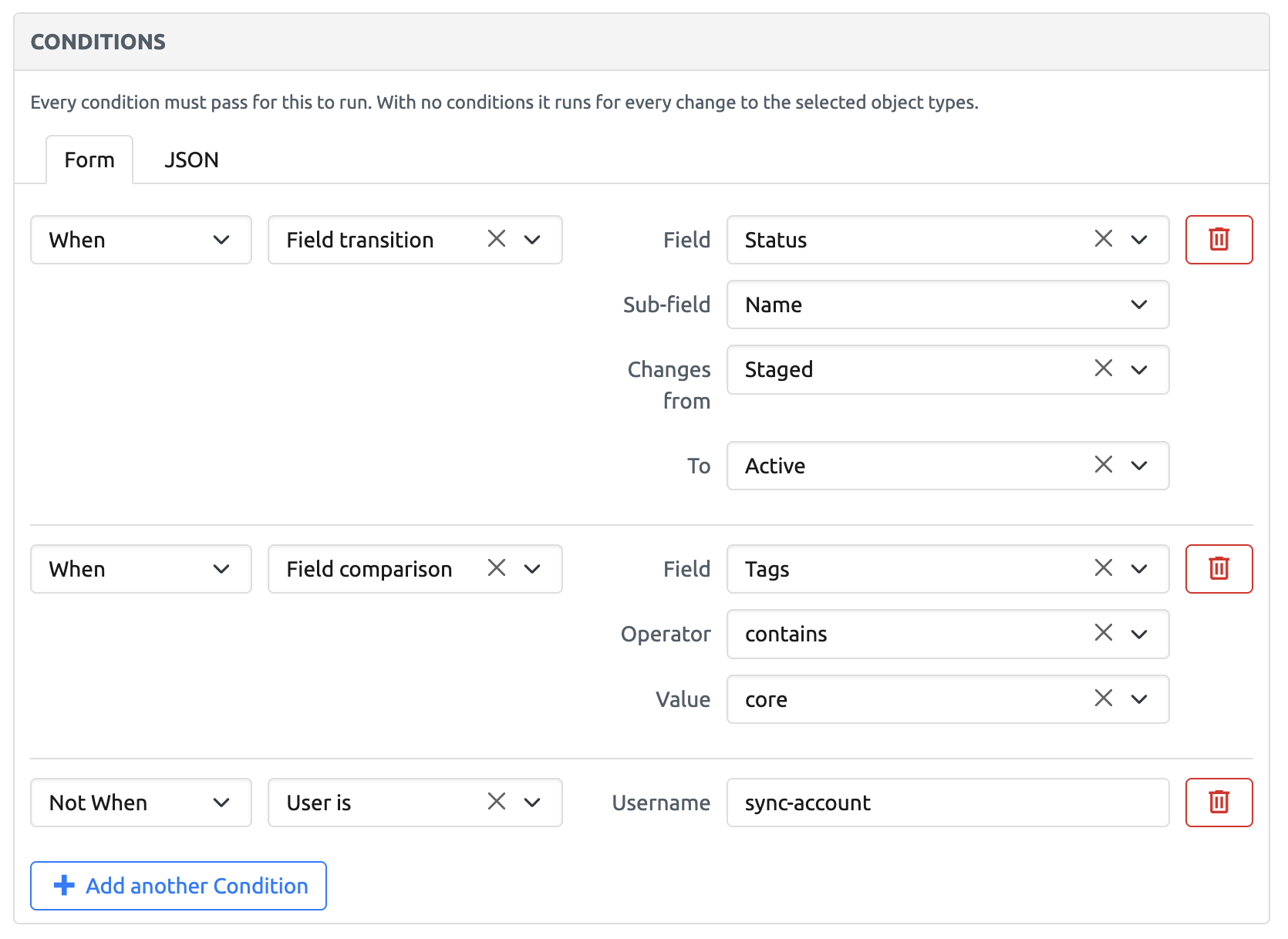
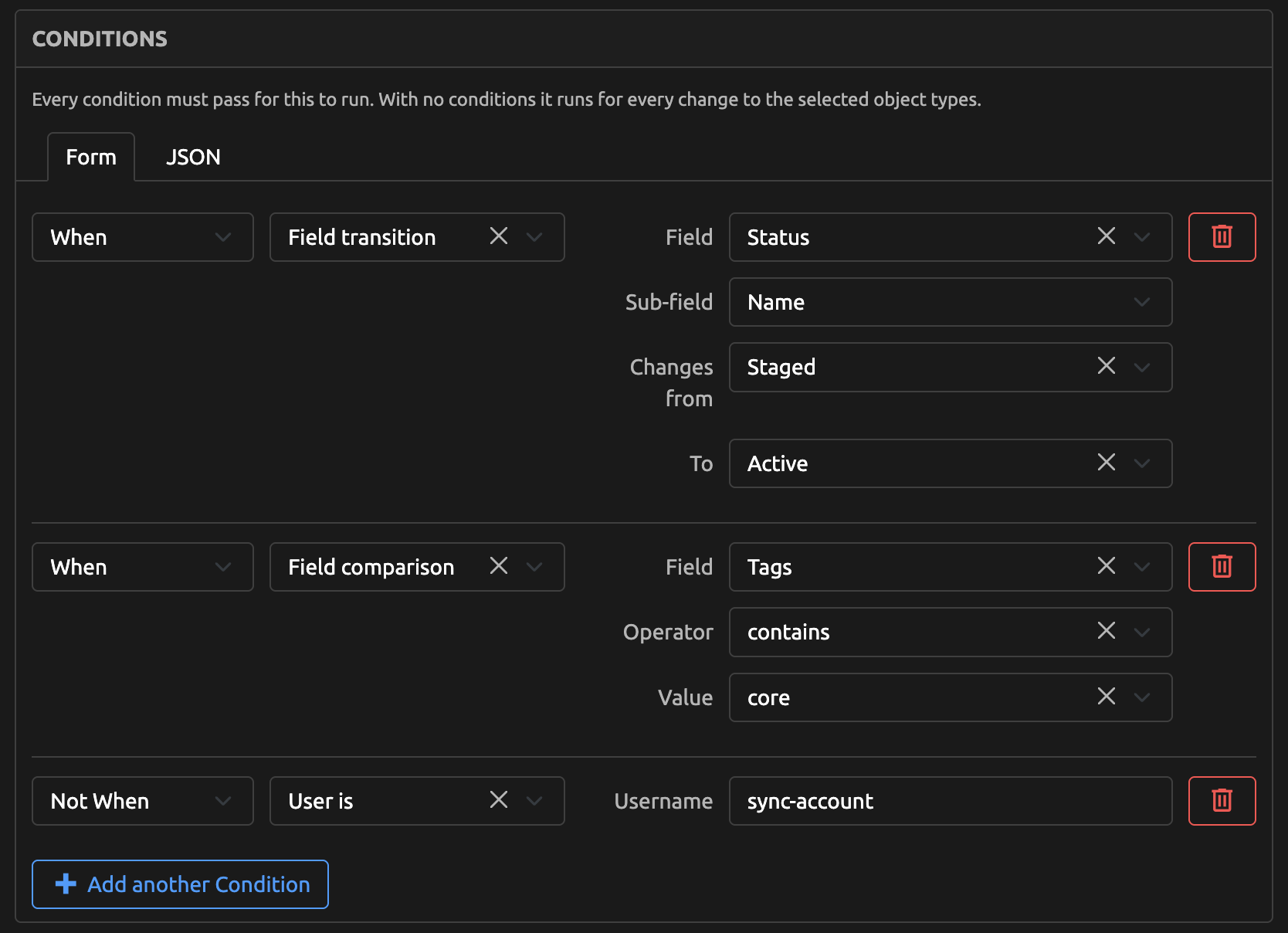
The JSON tab holds the same three rows as:
[
    {"type": "preset", "preset": "field_transition", "values": {"field": "status.name", "from": "Staged", "to": "Active"}, "negate": false},
    {"type": "preset", "preset": "field_compare", "values": {"field": "tags", "operator": "contains", "value": "core"}, "negate": false},
    {"type": "preset", "preset": "user_is", "values": {"username": "sync-account"}, "negate": true}
]
After a save, the detail view of the Webhook or Job Hook shows this JSON in its Conditions panel.
The parameters change with the type, so choosing a different one rebuilds the row. Naming a different field does the same, and clears the value that was being compared.
The picker shows each field by its label, in alphabetical order, and stores the path behind it.
Naming a relation such as status adds a Sub-field picker beside it, and the two are stored joined by a dot. A sub-field is always chosen for you, with name offered first. A custom field such as custom_fields.site_code is chosen in the first picker, and a related object's custom fields in the Sub-field picker.
What the value control looks like follows from the field and the operator together. A relation's sub-field is picked from the objects that exist, a color from a palette, a date from a calendar. tags is picked from the tags the selected object types can hold, several for = and one for contains. A selection custom field is picked from the choices that custom field declares. An operator that matches part of a value, such as contains on text, gives a plain box instead. So does a field holding a plain list, because there are no options to pick from.
Add another Condition adds a row at the end, and the bin beside a row removes it.
The form shows no errors while you fill in a row. After Create or Update, anything a save refuses appears next to the control at fault, and stays there until you fix it.
You can paste into the JSON tab instead, in the format below. If what you paste cannot be read as conditions, the Form tab shows a message where the rows would be, and leaves your text alone so you can go back and fix it.
Row format
This section is for setting conditions through the REST API. In the web UI the form builds the rows for you.
Conditions are a list. Each entry is a preset row or an expression row:
[
    {"type": "preset", "preset": "field_compare", "values": {"field": "mtu", "operator": "gt", "value": 9000}},
    {"type": "expression", "source": "(data.mtu is not none and data.mtu > 9000) or username != 'sync-account'", "negate": true}
]
A preset row names the preset and gives its values. The preset keys are field_transition, field_changed, field_compare and user_is, and the value names are the parameter names from the tables above. Any other name is rejected. GET /api/extras/condition-presets/ lists every preset with its parameters.
For in, and for = on a list field such as tags, value is a list.
An expression row has the expression in source.
Either kind may have "negate": true to invert it. Without it the row is not negated.