Getting Started
Getting Your API Key
To connect your AI coding assistant to the NautobotGPT MCP Server, you need a NautobotGPT API key. You can generate one for your user within NautobotGPT:
Step 1: Sign in to NautobotGPT.
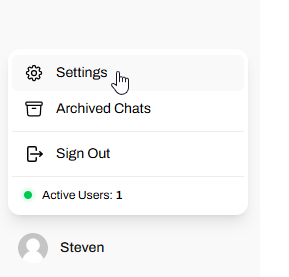
Step 2: Click on your profile at the bottom left → then click Settings.
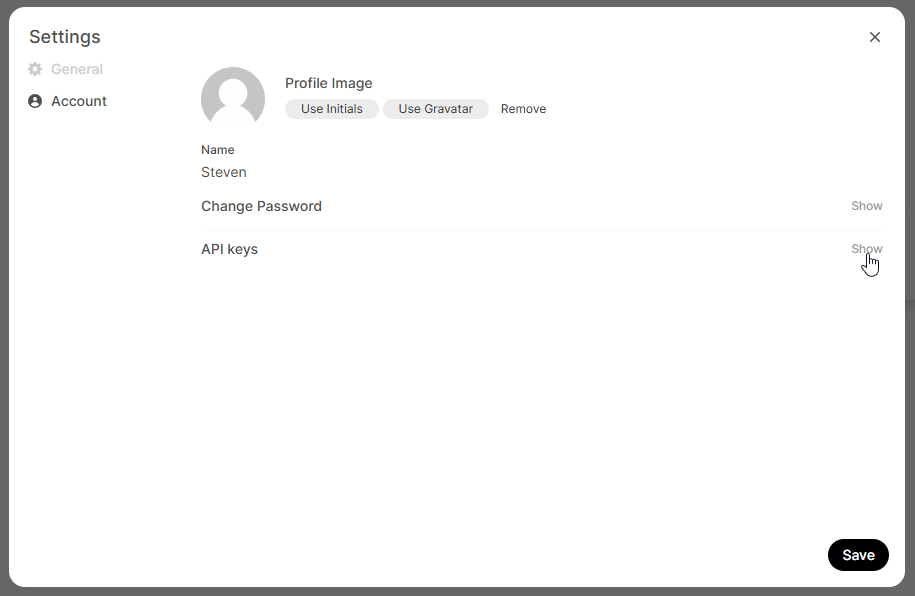
Step 3: Click the Account tab → then the Show button for API keys.
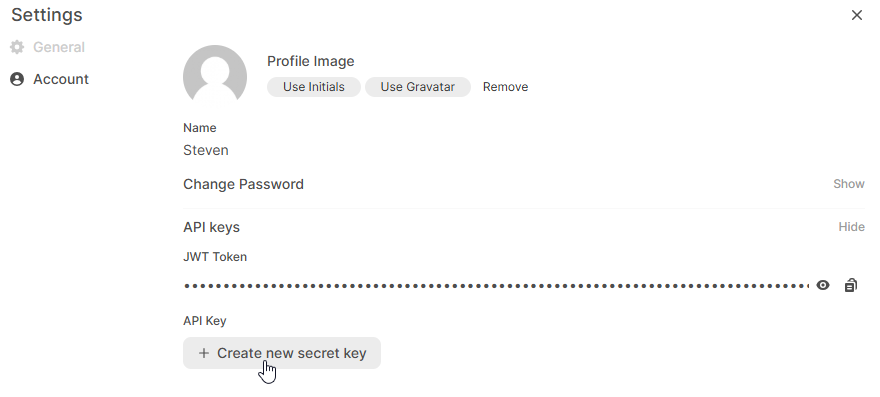
Step 4: Click + Create a new secret key.
Step 5: Copy the generated API key value and click Save to close.
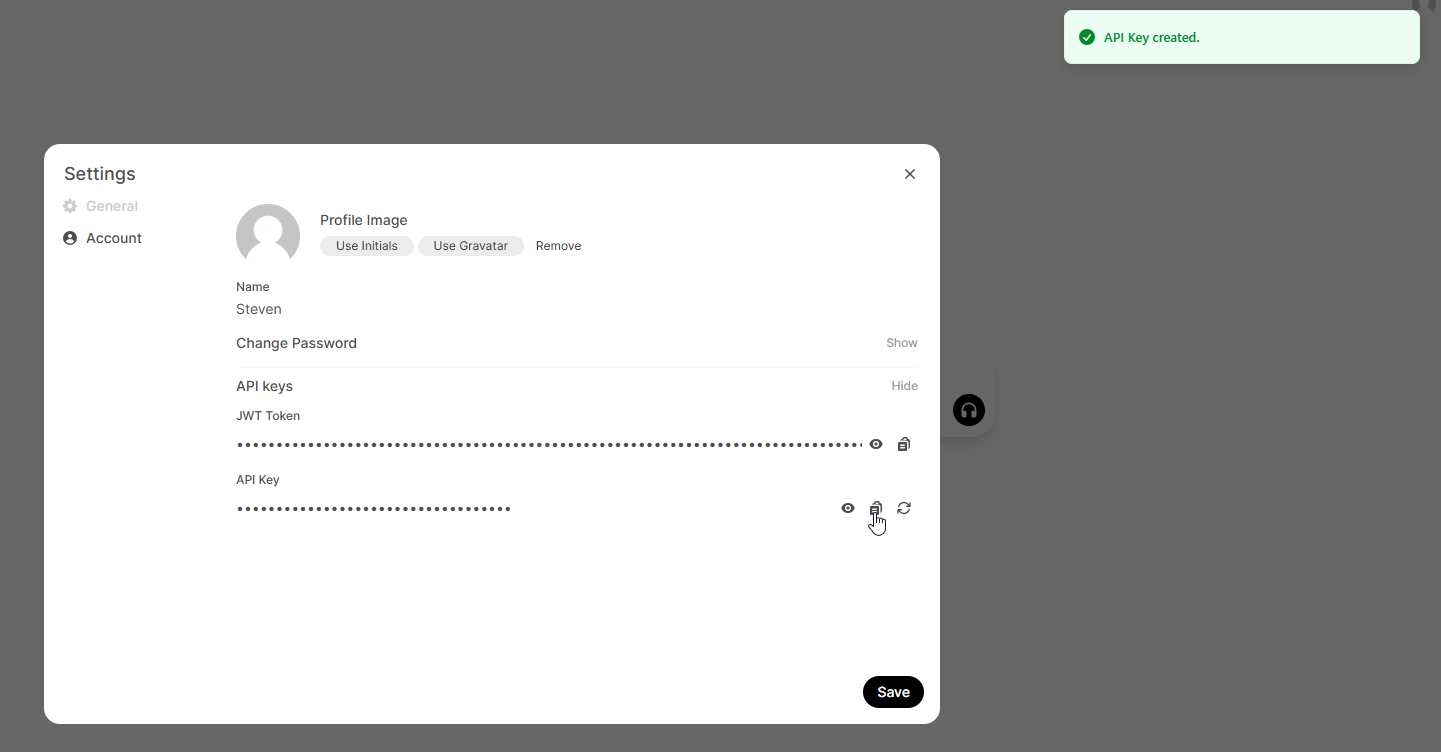
Use your NautobotGPT API key in your MCP Client configuration to authenticate with the NautobotGPT MCP Server.
Setup Guides
Choose the guide for your AI coding assistant:
- Claude Code — Connect Claude Code to NautobotGPT
- Claude Desktop — Connect Claude Desktop to NautobotGPT
- GitHub Copilot (VS Code) — Connect GitHub Copilot in VS Code to NautobotGPT
Troubleshooting
Server Not Connecting
- Verify the NautobotGPT MCP Server is enabled for your instance — contact Network to Code Support if unsure
- Check that your API key is valid
- Ensure you are using the correct server URL (
https://{your-nautobotgpt-instance}.nautobot.cloud/mcp) in your AI coding assistant configuration
Authentication Errors
- Regenerate your API key using the steps above
- Ensure you are using the full key value in the
Bearertoken format
For any issues, contact Network to Code Support.