Operational Compliance Settings
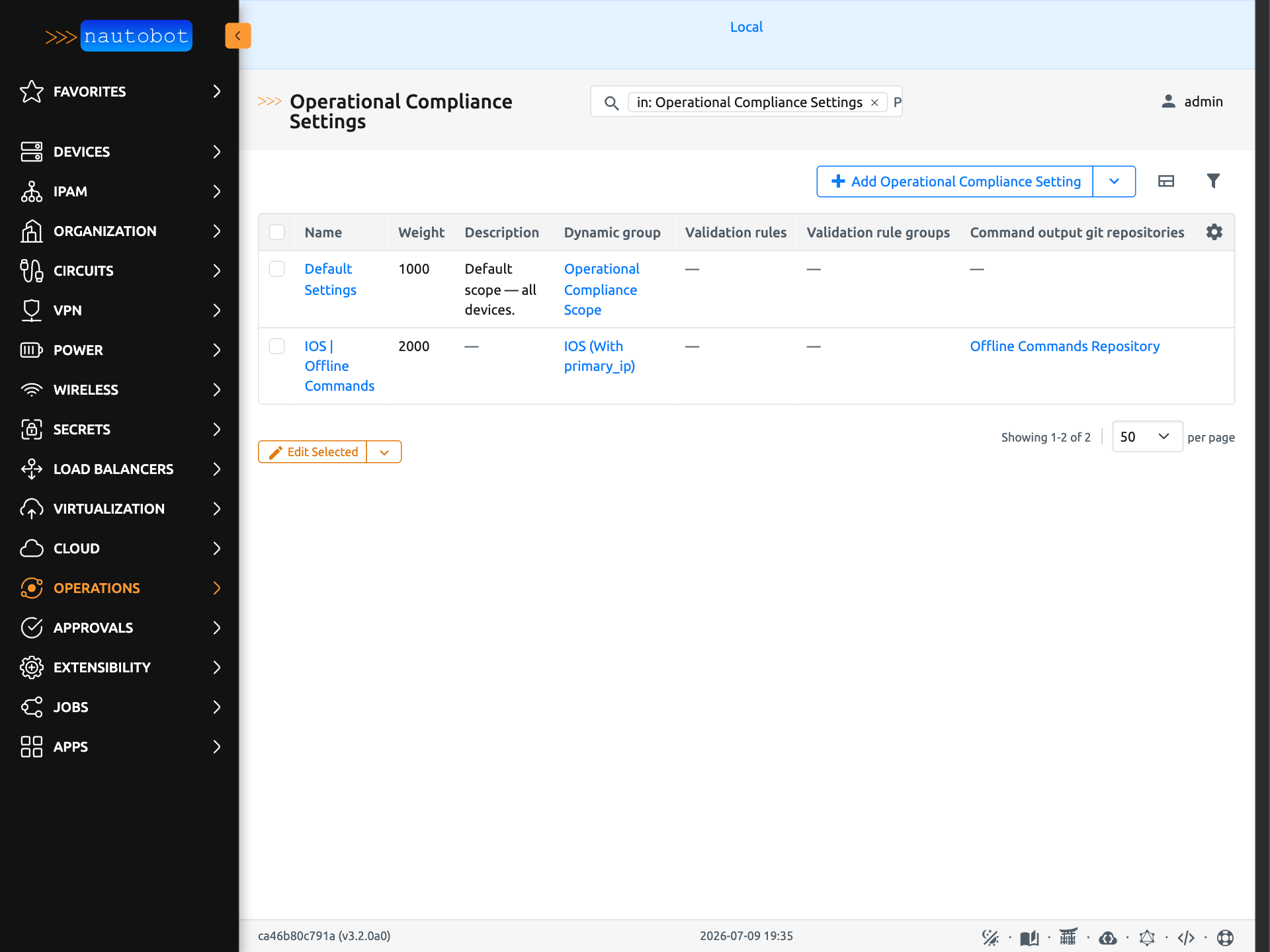
Operational Compliance Settings control how the app treats your devices: which devices the app manages, which validation rules those devices are evaluated against, and where command output comes from (live devices or Git). They are found under Operations > Setup > Operational Compliance Settings.
Each setting brings together:
| Component | Purpose |
|---|---|
| Dynamic group | The scope — which devices this setting governs |
| Weight | Precedence when a device falls into more than one setting's dynamic group |
| Compliance validation rules | The validation rules and rule groups designated for compliance for the governed devices |
| Offline command output settings | Optional Git repositories that replace live-device collection with stored command output |
Scope: Dynamic Groups and Weight
Each Operational Compliance Setting is bound to one device dynamic group. A device may fall into more than one setting's dynamic group; when it does, the setting with the highest weight governs that device (ties are broken alphabetically by setting name). This follows the Golden Config pattern, so a broad default setting (low weight, all devices) can be overridden by a narrower, higher-weight setting for a subset of devices.
The Take Snapshot job does not ask which setting to use. It loads every device governed by a setting's dynamic group, resolves each device's governing setting by weight, then narrows the run by the job form's filters (platform, location, tags, etc.).
Warning
Devices that are not in any setting's dynamic group are out of scope — the Take Snapshot job skips them entirely, even when they match the job form's filters. At least one Operational Compliance Setting must exist before the app can collect anything.
Designated Validation Rules
Each setting designates the validation rules its devices are held compliant against, using two fields:
| Field | Description |
|---|---|
| Validation rules | Individual Validation Rules designated directly |
| Validation rule groups | Validation Rule Groups — every rule contained in a selected group is designated |
A device's designated rules are the union of the two: the rules selected directly on its governing setting, plus all rules contained in the governing setting's selected rule groups. Selecting a rule both directly and through a group has no additional effect.
Both fields are optional. Designating rules on the setting is the recommended way to run compliance consistently — the alternative is selecting rules by hand on the Take Snapshot job form each run.
Effect on the Take Snapshot Job
When the Take Snapshot job runs, the designated rules of every governing setting in scope are evaluated automatically — you do not need to select them on the job form. Any Validation Rules or Validation Rule Groups selected on the job form are an additive override: they are collected in addition to the designated rules, not instead of them.
If no rules are designated on any in-scope setting and none are selected on the job form, the job logs that there is nothing to run.
Note
Collection is pooled across the run: a rule designated by any in-scope device's governing setting is collected from all in-scope devices that have a matching command parser for their platform. The per-device designation is enforced when results are reported on the Compliance Overview, not at collection time.
Effect on the Compliance Overview
The Compliance Overview (Operations > Manage > Compliance Overview) restricts each device's row to its designated rules:
- A device governed by a setting with designated rules shows results only for those rules. Results for rules that were run ad hoc — for example, rules selected only on a job form for pre/post change validation — are excluded from that device's compliance report.
- A device with no designated rules (its governing setting designates nothing, or it has results but no governing setting) falls back to showing all of its results, so deployments that have not yet designated rules keep their full report.
The Validation Results list view is not restricted — every result remains visible and filterable there regardless of designation.
Offline Command Output Collection
A setting can optionally specify one or more Git repositories that provide stored command output. When a device's governing setting has at least one repository configured, the Take Snapshot job reads that device's command output from Git instead of connecting to the device. See Offline Command Outputs Datasource for the repository layout, the path template, and the failure behavior.