Software Lifecycle
The Software Lifecycle app, working alongside Nautobot's Software Version model, manages organizationally approved software on devices and inventory. To achieve this, the app uses a Validated Software model, specifying which Software versions are currently approved within the organization and for which devices or inventory items. A Validated Software object can only be created after a Software object has been defined.
Validated Software objects
Validated Software objects are used to check if the software assigned to devices and inventory items is valid/approved.
These objects represent rules defined in an organization during the software approval/qualification process.
Multiple Validated Software objects can be created for the same software. This allows specifying different validity periods and preference settings for different subsets of devices and inventory items.
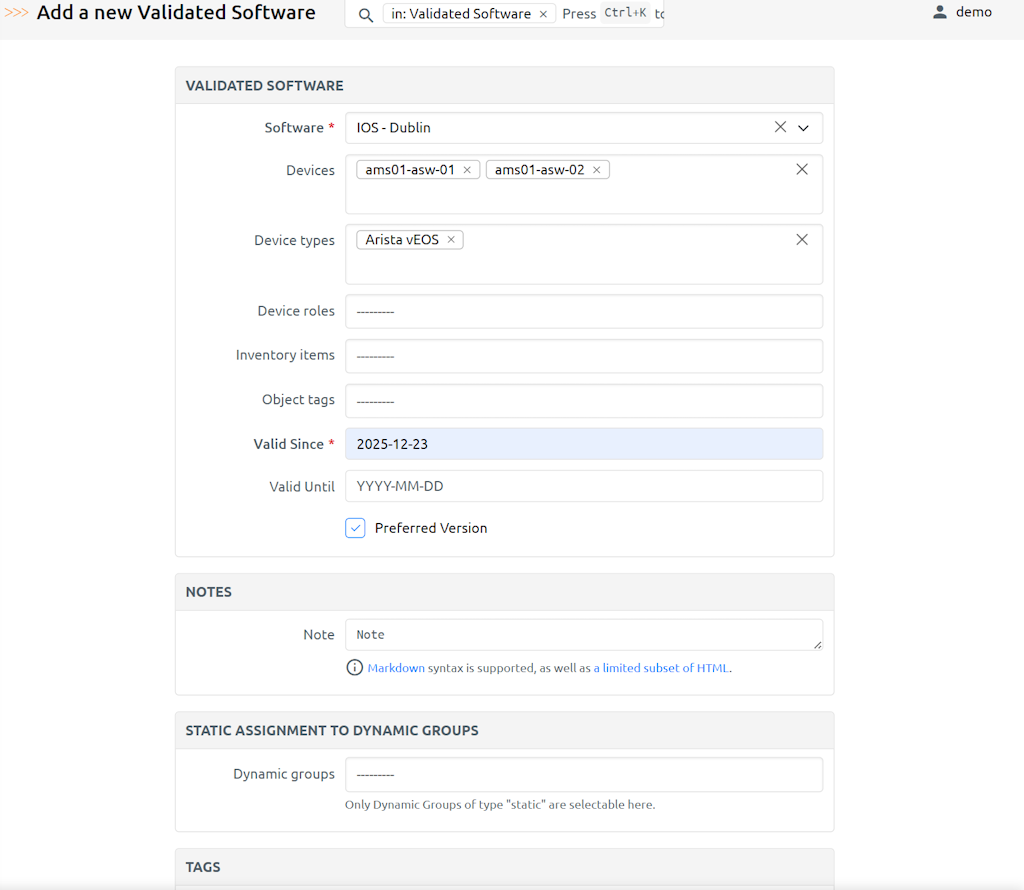
When creating the validated software the following fields are available. Fields in bold are mandatory.
| Field | Description |
|---|---|
| Software | Software object this Validated Software object is tied to |
| Valid Since | Start date when the rules defined by this object start applying |
| Valid Until | End date when the rules defined by this object stop applying |
| Preferred Version | Whether the Software specified by this Validated Software should be considered a preferred version |
| Devices -> Devices | Devices whose software will be validated by this Validated Software |
| Devices -> Device tenants | Devices assigned to these tenants will have software validated by this Validated Software. Only honored when multi_tenant_mode=True; ignored by matching in the default legacy mode (see Multi-tenant mode). |
| Devices -> Device types | Devices having these device types will have software validated by this Validated Software |
| Devices -> Device roles | Devices having these device roles will have software validated by this Validated Software |
| Inventory Items -> Inventory items | Inventory items whose software will be validated by this Validated Software |
| Object Tags -> Object tags | Devices and Inventory items with these tags will be validated by this Validated Software |
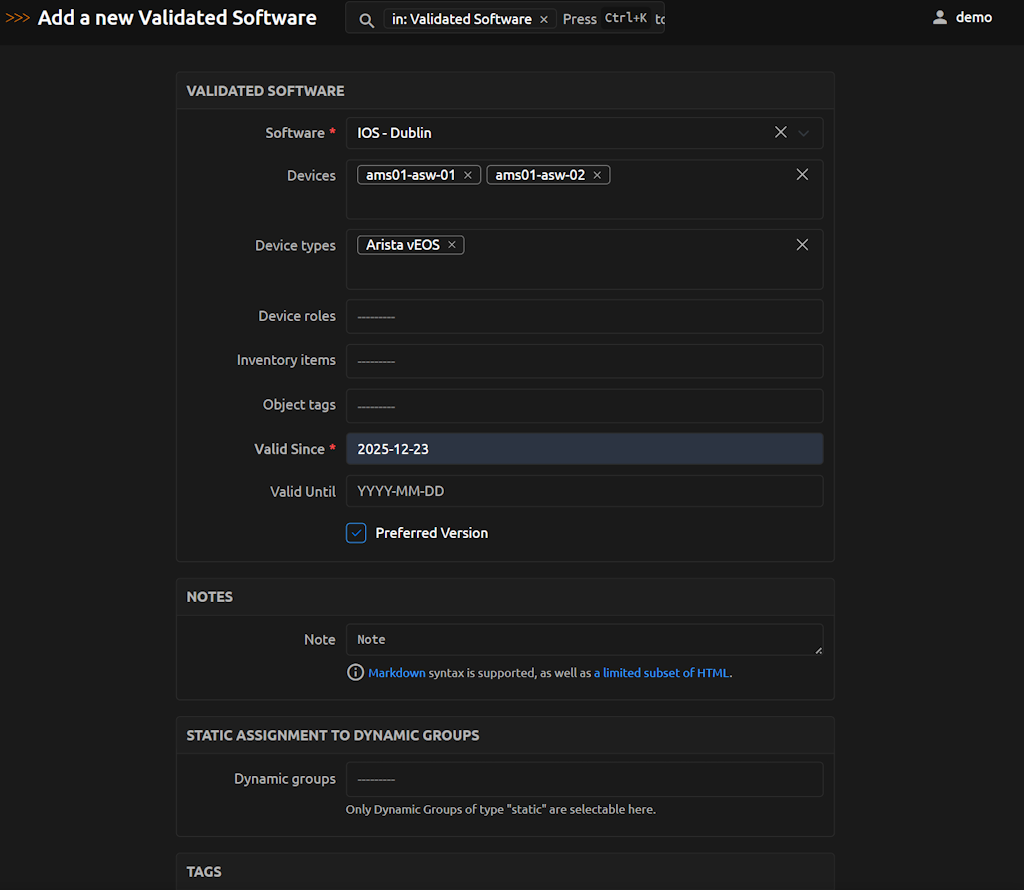
Example of a Validated Software object with most fields filled in:
Validated Software assignment rules
Validated Software object can be assigned to:
- devices
- device tenants (honored only when
multi_tenant_mode=True— see Multi-tenant mode) - device types
- device roles
- inventory items
- object tags applied to devices and inventory items
One Validated Software object can be assigned to multiple other objects.
Multi-tenant mode (opt-in)
The app supports two matching modes for ValidatedSoftwareLCM records, controlled by the multi_tenant_mode app setting (see the admin install guide):
multi_tenant_mode |
Behavior |
|---|---|
False (default) |
Legacy mode — ValidatedSoftware records with a device_tenants assignment are excluded; only untenanted records are considered. The device's own tenant is never checked. Matching within those records uses devices, device_types, device_roles, and object_tags. This preserves the pre-tenancy behavior of the app. |
True |
Multi-tenant mode — the device's tenant must match one of the device_tenants on any tenant-scoped Validated Software record for it to apply. Device type, device role, direct device, and tag assignments continue to work, and can be combined with tenant scoping. No untenanted fallback is provided for devices that belong to a tenant. |
Note
The device_tenants field remains editable in the UI and exposed in the API regardless of the setting. In legacy mode it is simply ignored by matching; existing tenant assignments remain in place and become effective if the setting is later switched to True.
Warning
Changing multi_tenant_mode requires a Nautobot service restart for the new value to take effect.
Warning
Enabling multi_tenant_mode without first creating tenant-scoped Validated Software records will cause all tenanted devices to show zero matching validations. Before switching modes, ensure tenant-scoped Validated Software records exist for every tenant whose devices need coverage.
Note
For tenanted devices in multi-tenant mode, tag-based (object_tags) and direct device (devices) assignments are tenant-agnostic — a match via these fields does not require the ValidatedSoftware record to be scoped to the device's tenant. In legacy mode and for non-tenanted devices in multi-tenant mode, only ValidatedSoftware records with no tenant assigned are ever returned, regardless of match path.
Validated Software matching logic
When a device or inventory item has Software assigned app will attempt to find a Validated Software object that is linked to the Software and matches the device/inventory item through assignment resolution.
If at least one Validated Software object, which is currently valid, matching Software and device/inventory item is found, then the Software is marked as valid. Otherwise, it is marked as invalid.
When resolving whether Validated Software is taken into account when validating software on a given device, the following logic applies.
Matching workflow for devices
The following diagram summarizes how a candidate Validated Software record is accepted or rejected for a given device under each mode. The bullet-list subsections below expand on the individual match criteria referenced in the diagram.
flowchart TD
    Start([Device + Validated Software candidate]) --> Flag{multi_tenant_mode?}

    Flag -- "False / legacy" --> LegacyVSTenant{VS has<br/>device_tenants set?}
    LegacyVSTenant -- Yes --> Exclude([Exclude])
    LegacyVSTenant -- No --> LegacyMatch{Match on devices,<br/>device_types,<br/>device_roles,<br/>or object_tags?}
    LegacyMatch -- Yes --> Include([Include in queryset])
    LegacyMatch -- No --> Exclude

    Flag -- True / multi-tenant --> DeviceTenant{Device has<br/>a tenant?}

    DeviceTenant -- No --> UntenantedVS{VS has<br/>device_tenants set?}
    UntenantedVS -- Yes --> Exclude
    UntenantedVS -- No --> LegacyMatch

    DeviceTenant -- Yes --> TenantedVS{VS has<br/>device_tenants set?}
    TenantedVS -- No --> TagOrDirect{Match via<br/>devices or<br/>object_tags?}
    TagOrDirect -- Yes --> Include
    TagOrDirect -- No --> Exclude

    TenantedVS -- Yes --> TenantMatches{Device's tenant<br/>in VS.device_tenants?}
    TenantMatches -- No --> TagOrDirect
    TenantMatches -- Yes --> TenantScopedMatch{Match on device_types,<br/>device_roles,<br/>or tenant-only VS?}
    TenantScopedMatch -- Yes --> Include
    TenantScopedMatch -- No --> TagOrDirect
Key points illustrated by the diagram:
- In legacy mode, ValidatedSoftware records with
device_tenantsset are excluded before matching; the device's own tenant is never checked. - In multi-tenant mode, a tenanted device never falls back to untenanted Validated Software via type/role/tenant paths — only direct
devicesandobject_tagsmatches are tenant-agnostic. - A non-tenanted device in multi-tenant mode only sees untenanted Validated Software; any record with
device_tenantsset is filtered out, including via direct assignment and tags. - For tenanted devices in multi-tenant mode, direct
devicesandobject_tagsmatches are tenant-agnostic and can match VS records with any (or no) tenant assigned.
For devices — legacy mode (multi_tenant_mode=False)
Validated Software will be used if one, or more, of the following applies:
- Device is explicitly listed in the Validated Software
devicesattribute. - Device's device type AND device role match
device_typesANDdevice_rolesin Validated Software. This applies only if BOTH are set. See the Special cases subsection that follows. - Device's device type is listed in the Validated Software
device_typesattribute. - Device's role is listed in the Validated Software
device_rolesattribute. - Device's tags are listed in the Validated Software
object_tagsattribute.
Only ValidatedSoftware records with no device_tenants set are considered. The device's own tenant has no effect on matching.
For devices — multi-tenant mode (multi_tenant_mode=True)
If the device has a tenant assigned, Validated Software will be used if one, or more, of the following applies:
- Device is explicitly listed in the Validated Software
devicesattribute. - The record's
device_tenantsincludes the device's tenant, AND bothdevice_typesanddevice_rolesare set and match the device. See the Special cases subsection that follows. - Device's tenant matches a
device_tenantsentry ANDdevice_typesmatches the device's type (whendevice_typesis set butdevice_rolesis not set on the record). - Device's tenant matches a
device_tenantsentry ANDdevice_rolesmatches the device's role (whendevice_rolesis set butdevice_typesis not set on the record). - Device's tenant matches a
device_tenantsentry and neitherdevice_typesnordevice_rolesis set on the record (tenant-only record). - Device's tags are listed in the Validated Software
object_tagsattribute.
If the device has no tenant assigned, only Validated Software records that have no device_tenants set are considered, and the legacy-mode rules above apply.
For inventory items
Inventory item matching does not take tenancy into account in either mode. Validated Software will be used if one, or more, of the following applies:
- Inventory item is explicitly listed in the Validated Software
devicesattribute. - Inventory item's tags are listed in the Validated Software
object_tagsattribute.
Special cases - device type and device role defined together
When a Validated Software object is assigned to both device type and device role then these are used in conjunction (logical AND). That is, such an object will apply to devices that are assigned both, specified device type AND device role.
This logic is used to allow to specify a subset of the devices of a given type by adding additional constraint in the form of device role.
For example, in the below case Validated Software 4.21M will apply to Device 1 only since Device 2 has a match for device type only.
-
Device 1
- device type: 7150-S64
- device role: leaf
- software: 4.21M
-
Device 2
- device type: 7150-S64
- device role: edge
- software: 4.21M
-
Validated Software - 4.21M:
- device types: 7150-S64
- device roles: leaf
- software: 4.21M
Special cases - device tenant and device type defined together
Only applies when multi_tenant_mode=True.
When a Validated Software object is assigned to both device tenants and device type then these are used in conjunction (logical AND). That is, such an object will apply to devices that are assigned both, specified device tenant AND device type.
This logic is used to allow to specify a subset of the devices of a given type by adding additional constraint in the form of tenant.
For example, in the below case Validated Software 4.21M will apply to Device 1 only since Device 2 has a match for device type only.
-
Device 1
- device type: 7150-S64
- device tenants: tenant_A
- software: 4.21M
-
Device 2
- device type: 7150-S64
- device tenants: tenant_B
- software: 4.21M
-
Validated Software - 4.21M:
- device types: 7150-S64
- device tenants: tenant_A
- software: 4.21M
Behavior when using API to retrieve Validated Software list for devices and inventory items
By default when retrieving a list of Validated Software objects it is possible to filter results by assignments used when the object was created.
To get a list of Validated Software objects that match given device/inventory item matching using the logic described in the previous section, one must specify one of the below parameters:
- For devices:
device_nameordevice_id - For inventory items:
inventory_item_id
API Examples for getting Validated Software matching specific objects
-
Return Validated Software objects taken into account when validating software assigned to device
ams-leaf-01.GraphQL
{
    "data": {
        "validated_softwares": [
            {
                "software": {
                    "version": "4.25.6M"
                },
                "preferred": true
            },
            {
                "software": {
                    "version": "4.23.10M"
                },
                "preferred": false
            }
        ]
    }
}
REST API
{{NAUTOBOT_URL}}/api/plugins/nautobot-device-lifecycle-mgmt/validated-software/?device_name=ams-edge-01{ "count": 2, "next": null, "previous": null, "results": [ { "id": "94aabc58-7654-40b0-9d6a-2a71f6b2449c", "url": "https://demo.nautobot.com/api/plugins/nautobot-device-lifecycle-mgmt/validated-software/94aabc58-7654-40b0-9d6a-2a71f6b2449c/", "software": { "id": "96dba607-19b2-4875-8d02-a8b4667afd69", "url": "https://demo.nautobot.com/api/plugins/nautobot-device-lifecycle-mgmt/software/96dba607-19b2-4875-8d02-a8b4667afd69/", "device_platform": "835e363f-c922-4540-b0c0-aaeac2a1be15", "version": "4.25.6M", "end_of_support": null, "display": "Arista EOS - 4.25.6M" }, "devices": [], "device_types": [ "b77ff7f2-c9ac-49f1-a74e-9dc32545ce1e" ], "device_roles": [], "inventory_items": [], "object_tags": [ "dcde1fc2-8f55-44f7-bc17-155e5e7d944d" ], "start": "2021-06-15", "end": "2023-11-23", "preferred": true, "valid": true, "custom_fields": {}, "tags": [], "display": "Arista EOS - 4.25.6M - Valid since: 2021-06-15" }, { "id": "d59231fe-24aa-45ec-b21b-3cdeac6f88a1", "url": "https://demo.nautobot.com/api/plugins/nautobot-device-lifecycle-mgmt/validated-software/d59231fe-24aa-45ec-b21b-3cdeac6f88a1/", "software": { "id": "1fec053e-8c47-4616-ba8e-76ed5f1ff852", "url": "https://demo.nautobot.com/api/plugins/nautobot-device-lifecycle-mgmt/software/1fec053e-8c47-4616-ba8e-76ed5f1ff852/", "device_platform": "835e363f-c922-4540-b0c0-aaeac2a1be15", "version": "4.23.10M", "end_of_support": null, "display": "Arista EOS - 4.23.10M" }, "devices": [], "device_types": [ "d84c1995-f70a-4658-b53e-14ee4dad8423" ], "device_roles": [ "033cf40f-f739-4864-b65f-4e612530d59a" ], "inventory_items": [], "object_tags": [], "start": "2020-09-15", "end": "2022-03-09", "preferred": false, "valid": true, "custom_fields": {}, "tags": [], "display": "Arista EOS - 4.23.10M - Valid since: 2020-09-15" } ] } -
Return Validated Software objects taken into account when validating software assigned to inventory item with id
ams-leaf-01.GraphQL
query {
    validated_softwares(inventory_item_id: "33b0c49e-0ee9-409c-b136-f008a3cdf033") {
        software {
            version
        }
        preferred
    }
}
{ "data": { "validated_softwares": [ { "software": { "version": "4.25.6M" }, "preferred": true } ] } }REST API
{{NAUTOBOT_URL}}/api/plugins/nautobot-device-lifecycle-mgmt/validated-software/?inventory_item_id=33b0c49e-0ee9-409c-b136-f008a3cdf033{ "count": 1, "next": null, "previous": null, "results": [ { "id": "94aabc58-7654-40b0-9d6a-2a71f6b2449c", "url": "https://demo.nautobot.com/api/plugins/nautobot-device-lifecycle-mgmt/validated-software/94aabc58-7654-40b0-9d6a-2a71f6b2449c/", "software": { "id": "96dba607-19b2-4875-8d02-a8b4667afd69", "url": "https://demo.nautobot.com/api/plugins/nautobot-device-lifecycle-mgmt/software/96dba607-19b2-4875-8d02-a8b4667afd69/", "device_platform": "835e363f-c922-4540-b0c0-aaeac2a1be15", "version": "4.25.6M", "end_of_support": null, "display": "Arista EOS - 4.25.6M" }, "devices": [], "device_types": [ "b77ff7f2-c9ac-49f1-a74e-9dc32545ce1e" ], "device_roles": [], "inventory_items": [], "object_tags": [ "dcde1fc2-8f55-44f7-bc17-155e5e7d944d" ], "start": "2021-06-15", "end": "2023-11-23", "preferred": true, "valid": true, "custom_fields": {}, "tags": [], "display": "Arista EOS - 4.25.6M - Valid since: 2021-06-15" } ] }
Ordering of the Validated Software objects in a list
A given device/inventory item can be matched by multiple Validated Software objects.
If there is more than one Validated Software object matching software assigned to the device/inventory item then the list of Validated Software objects ordered according to the following rules.
Ordering for devices
- Device is listed in the
devicesattribute,preferredflag set toTrue - Device's device type AND device role are listed in the
device_typesanddevice_rolesattributes,preferredflag set toTrue - Device's device type is listed in the
device_typesattribute,preferredflag set toTrue - Device's device role is listed in the
device_rolesattribute,preferredflag set toTrue - Device's tag is listed in the
object_tagsattribute,preferredflag set toTrue - Device is listed in the
devicesattribute,preferredflag set toFalse - Device's device type AND device role are listed in the
device_typesanddevice_rolesattributes,preferredflag set toFalse - Device's device type is listed in the
device_typesattribute,preferredflag set toFalse - Device's device role is listed in the
device_rolesattribute,preferredflag set toFalse - Device's tag is listed in the
object_tagsattribute,preferredflag set toFalse
Ordering for inventory items
- Inventory item is listed in the
inventory_itemsattribute,preferredflag set toTrue - Inventory item's tag is listed in the
object_tagsattribute,preferredflag set toTrue - Inventory item is listed in the
inventory_itemsattribute,preferredflag set toFalse - Inventory item's tag is listed in the
object_tagsattribute,preferredflag set toFalse
These rules allow preferred and more specific Validated Software objects to be returned first.